 Capolla
On 23 March 2026, Anthropic shipped a feature that changes what it means to use an AI assistant. Claude can now use your computer.
Not metaphorically. Not through an API. Claude can move your mouse, click buttons, type on your keyboard, open applications, and navigate your web browser, all on your actual desktop. The feature is called Computer Use, and it is available now as a research preview in both Claude Cowork and Claude Code for Pro and Max subscribers on macOS.
This matters because it is not arriving in isolation. In the same week, Anthropic also launched Dispatch, which lets you assign Claude tasks from your phone, and Claude Code Channels, which connects Claude Code sessions to Telegram and Discord for two-way messaging. Together, these three features represent the most significant shift I have seen in how AI agents interact with the world since ChatGPT introduced plugins.
If you have been following the OpenClaw phenomenon, you already understand why this is significant. If you have not, let me explain.
Why OpenClaw Set the Stage
OpenClaw, the open-source AI agent created by Austrian developer Peter Steinberger, became one of the fastest-growing projects in GitHub history earlier this year. It accumulated over 200,000 stars because it proved something the broader market had been theorising about: people do not want AI that talks about work. They want AI that does the work.
OpenClaw runs locally on your machine and connects AI models to your messaging apps, WhatsApp, Telegram, Discord, Signal, and more, so you can instruct your AI agent the same way you would message a colleague. It can manage files, automate browser tasks, execute shell commands, and remember your preferences across sessions.
The appeal was obvious. The barrier to entry was not. OpenClaw requires Node.js, API keys, terminal configuration, and a self-hosted gateway. One of OpenClaw’s own maintainers warned on Discord that the tool is “far too dangerous” for anyone who cannot operate a command line. Security researchers at Cisco found third-party OpenClaw skills performing data exfiltration without user awareness. The Chinese government restricted state agencies from using it.
OpenClaw demonstrated the demand. Anthropic just built the supply, with the safety and polish of a commercial product.
How Computer Use Actually Works
The most important thing to understand about Claude’s Computer Use is the hierarchy it follows. Claude does not default to taking over your screen. It follows a deliberate priority chain.
First, Claude checks for direct connectors. If you need something from Gmail, Slack, or Google Calendar, Claude uses the integration. This is the fastest and most reliable path.
Second, if no connector exists for the tool you need, Claude opens your browser and navigates it using the Chrome extension. It can browse, click, fill forms, and extract information without you lifting a finger.
Third, and only as a last resort, Claude takes control of your screen. It uses your mouse and keyboard to interact with desktop applications directly, the same way a human sitting at the desk would.
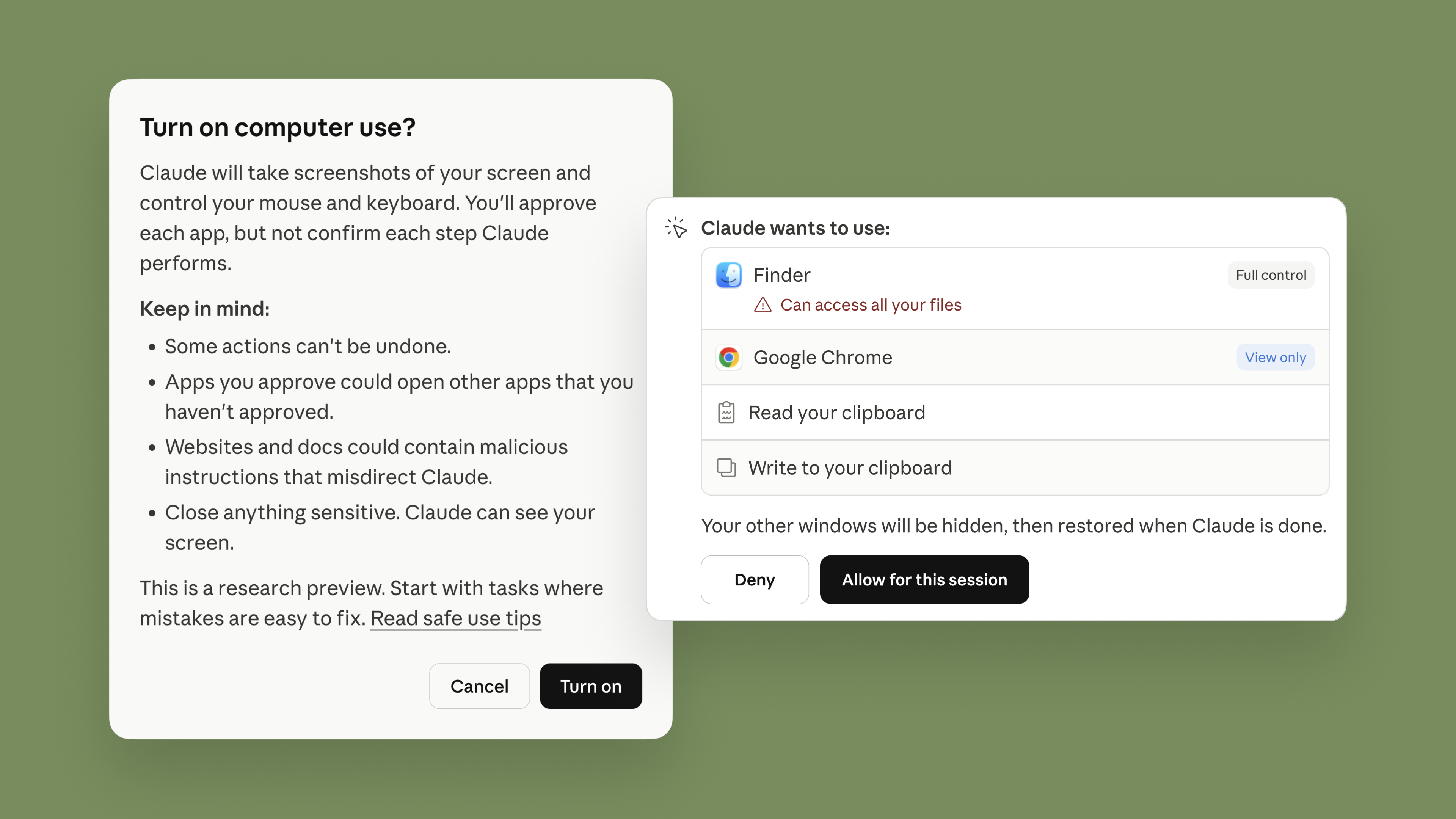
This hierarchy is a meaningful architectural choice. OpenClaw tends to go straight to screen control and shell commands. Claude treats those as fallbacks. The result is faster execution, fewer errors, and a more predictable experience for users who are not technically inclined.
From a safety perspective, Anthropic has built several layers of protection. Claude requests permission before accessing each application. The system automatically scans for prompt injection attempts when Claude interacts with your screen. Some categories of apps, including investment and trading platforms, are blocked by default. And users can stop Claude at any point.
Anthropic is also transparent about the limitations. Computer Use is described as a research preview. Complex tasks may require a second attempt. Screen interaction is slower than using a direct integration. The feature is macOS-only for now. None of this diminishes what it represents, but it is worth knowing what you are working with.
Dispatch: Your Phone Becomes a Remote Control
If Computer Use is the capability, Dispatch is what makes it practical for everyday life.
Dispatch is a feature inside Claude Cowork that creates one persistent conversation between your phone and your desktop. You scan a QR code to pair the Claude mobile app with the desktop app, and from that point forward, anything you message Claude from your phone gets executed on your computer.
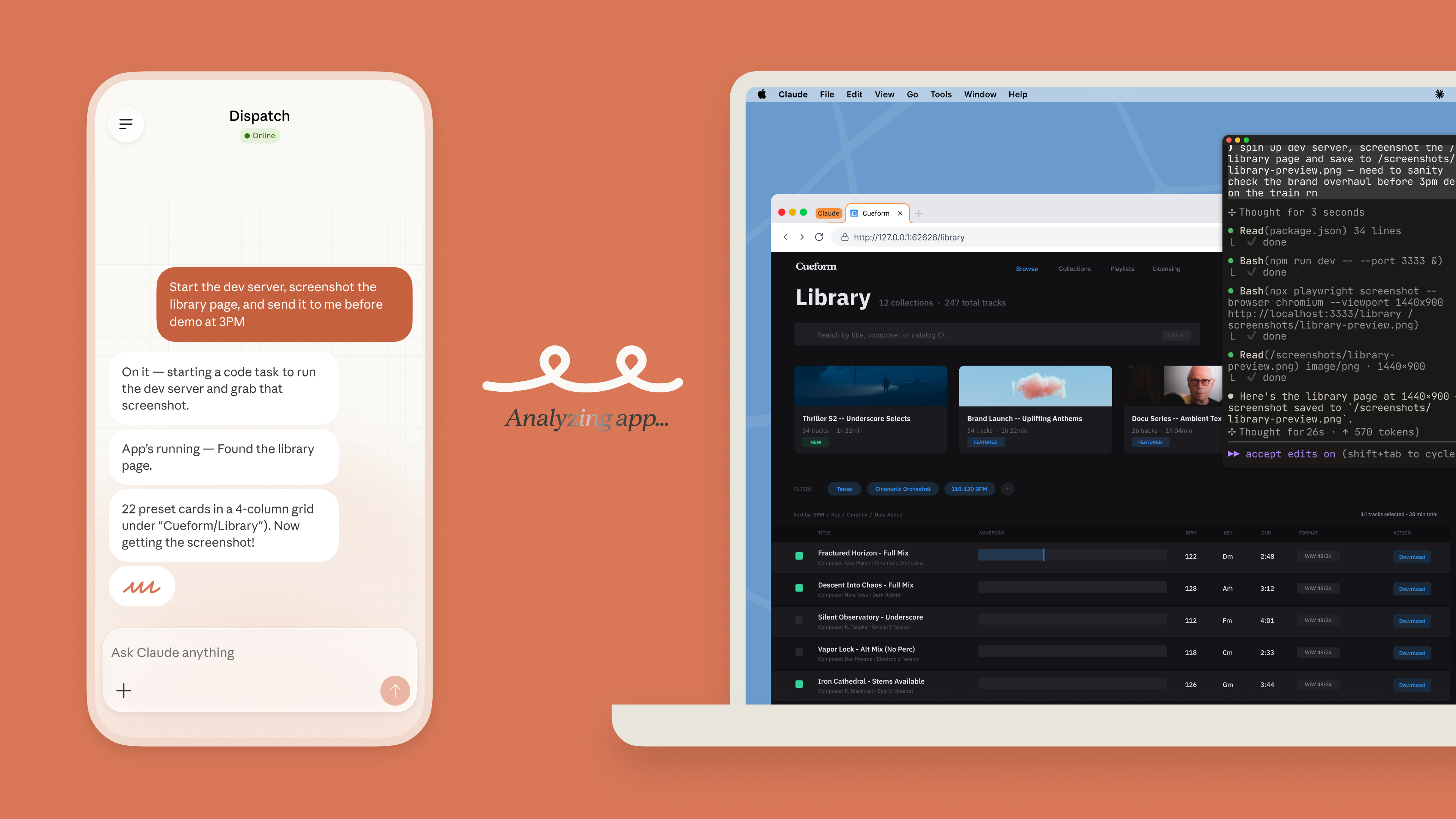
The setup takes about two minutes. No API keys. No configuration files. No OAuth dance. Scan and go.
Here is what this looks like in practice. You are on the train to work. You message Claude from your phone: “Check my email for anything urgent from yesterday, cross-reference with my calendar for today, and put together a briefing document in Google Docs.” By the time you sit down at your desk, the document is waiting for you.
With Computer Use now layered on top, Dispatch becomes substantially more powerful. Claude is no longer limited to working through connectors and files. If the task requires opening an application that has no integration, Claude can navigate your desktop directly, all while you are away from your computer.
You can also schedule recurring tasks. Tell Claude to check your inbox every morning, pull metrics every Friday, or process a folder of receipts at the end of each month. As long as your desktop is awake and the Claude app is open, the work happens without you.
The constraint worth noting: your computer must stay on. Dispatch is a remote control for your desktop, not a cloud service. Close the lid and Claude stops working. Anthropic includes a “Keep Awake” toggle in the settings, which helps, but this is fundamentally a local-first architecture.
Claude Code Channels: The Developer Answer to OpenClaw
While Dispatch serves the non-technical Cowork audience, Claude Code Channels addresses the developer community directly, and this is where the OpenClaw comparison is most pointed.
Launched on 20 March 2026, Channels allows developers to connect a running Claude Code session to Telegram or Discord. You send a message from your phone, and it flows directly into Claude Code with full access to your codebase, git, filesystem, and all your configured tools. Claude processes the request, executes the work, and replies in the same chat.
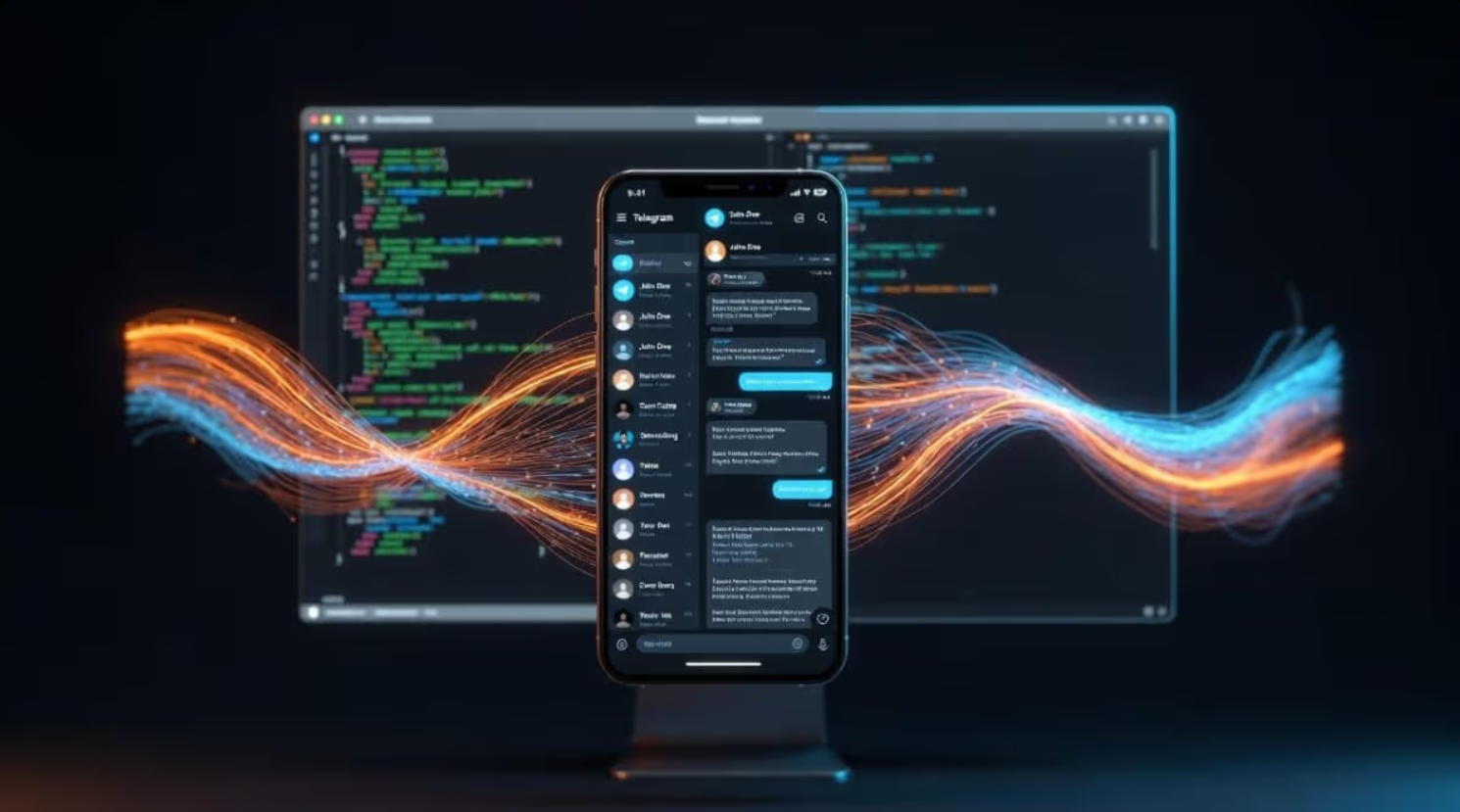
The architecture is built on the Model Context Protocol (MCP), the open standard Anthropic introduced in 2024 and later donated to the Linux Foundation. A channel is an MCP server that pushes events into a running Claude Code session, inverting the traditional interaction model. Instead of you going to the terminal and typing a prompt, the terminal is always listening and you message it from wherever you are.
One developer’s reaction captured the significance well: “You no longer need to buy a Mac Mini” to run an always-on AI agent. That is a direct reference to the OpenClaw community, where developers commonly purchased dedicated hardware to keep their agents running around the clock.
Channels currently supports Telegram and Discord, with the plugin architecture designed for expansion. During the research preview, only Anthropic-approved plugins are accepted, but the documentation signals that community-built channels are part of the longer-term plan.
The Bigger Picture for AI Adoption
I spend a lot of time thinking about what AI adoption actually looks like for organisations and individuals who are not on the cutting edge. Most people are still figuring out how to write effective prompts. The jump from “chat with AI” to “AI uses my computer” is not a small conceptual leap.
But it is the direction everything is moving. And I think the framing that matters most here is not the technology itself but the interaction model.
For years, AI has been synchronous. You sit down, you type, you wait, you respond. Every interaction requires your presence. Dispatch and Channels break that pattern. They introduce asynchronous AI, where you assign a task and walk away. The AI continues working without you.
This is the same shift that made email more useful than phone calls for certain types of work. It is the same shift that made Slack channels more efficient than meetings for certain types of decisions. Asynchronous AI will not replace every synchronous interaction, but for the categories of work that are repetitive, predictable, and time-consuming, it is a fundamentally better model.
The practical implications for teams exploring AI adoption are straightforward. First, start identifying tasks that do not require real-time human judgment: data gathering, report compilation, inbox triage, file organisation, recurring analyses. These are the tasks where Dispatch and Computer Use will deliver value immediately. Second, think about the infrastructure. Your team’s computers need to be running. The Claude Desktop app needs to be open. This is not a cloud-first architecture, which has both advantages for privacy and disadvantages for availability. Third, approach this as a research preview. Anthropic has been candid that complex tasks sometimes need a second try. Build in verification steps. Do not hand off anything sensitive without oversight.
What You Can Try Today
If you are a Claude Pro or Max subscriber on macOS, you can try all three features right now.
For Dispatch, open the Claude Desktop app, navigate to Cowork, click Dispatch in the sidebar, and scan the QR code with your phone. Start with simple tasks: finding files, summarising documents, pulling information from connected services. Work your way up to more complex workflows as you build confidence in the system.
For Computer Use, open a Cowork or Claude Code session and ask Claude to do something that involves an application on your desktop. Claude will ask for permission before proceeding. Start with apps you trust. Avoid sensitive data while the feature is in preview.
For Claude Code Channels, you will need Claude Code version 2.1.80 or later. Install the Telegram or Discord plugin, pair your account with a security code, and start messaging your Claude Code session from your phone.
The competitive landscape is moving fast. Nvidia has launched NemoClaw, an enterprise-grade version of OpenClaw. OpenAI hired Peter Steinberger, OpenClaw’s creator. Google is reportedly developing a Chrome-based agent. Perplexity shipped its own computer control tool last month.
But what Anthropic has done this week is distinct. They have taken the capabilities that made OpenClaw a sensation, messenger-based control, desktop automation, persistent conversation, and shipped them inside a product that does not require a terminal, an API key, or a weekend of configuration.
The era of AI that uses your computer has arrived. It is messy, early, and imperfect. It is also unmistakably the future.
For the official announcement, see Anthropic’s blog post “Put Claude to work on your computer”. For technical documentation on the Computer Use tool, see the Claude API docs. For setup guides on Dispatch and Channels, see the Claude Help Center and Claude Code Channels docs.