Capolla observes how work actually happens — on the device, with consent1 — and turns it into two answers: where AI will save time, and where it is already being used without review. Raw data stays local.2
Boards are demanding AI strategies with numbers attached. But the numbers on offer come from surveys, where people describe their work as they remember it, or from consultants, who interview a sample for a week and extrapolate at engagement prices.
The tools that do produce real behavioral data — monitoring suites — get it by shipping screenshots and activity logs to the cloud. Employees notice. Behavior warps under observation, trust erodes, and the data quality collapses with it.
The result: companies decide where to put AI based on the least reliable evidence in the building.
Evidence collected adversarially is bad evidence. People change how they work when they're watched by something they don't trust.Why Capolla is local-first by design
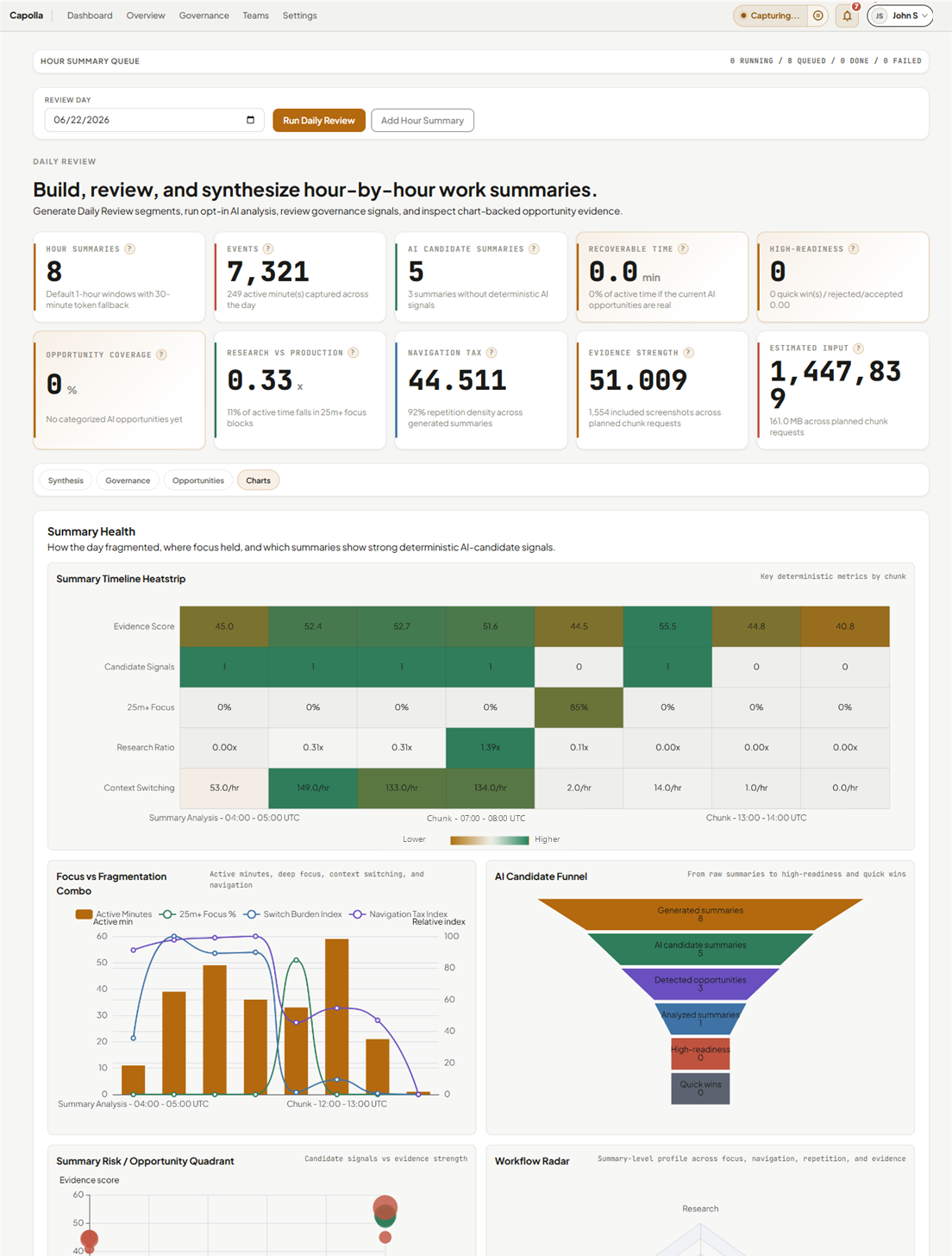
Thirty days of observed workflow evidence, condensed to the decisions that matter: which repeated workflows are worth automating first, how much time is recoverable,3 and which AI tools have already entered your workflows unreviewed. Every number is traceable back to the timeline it came from — nothing in the report is "the AI says so." The evidence sits one click behind each recommendation.
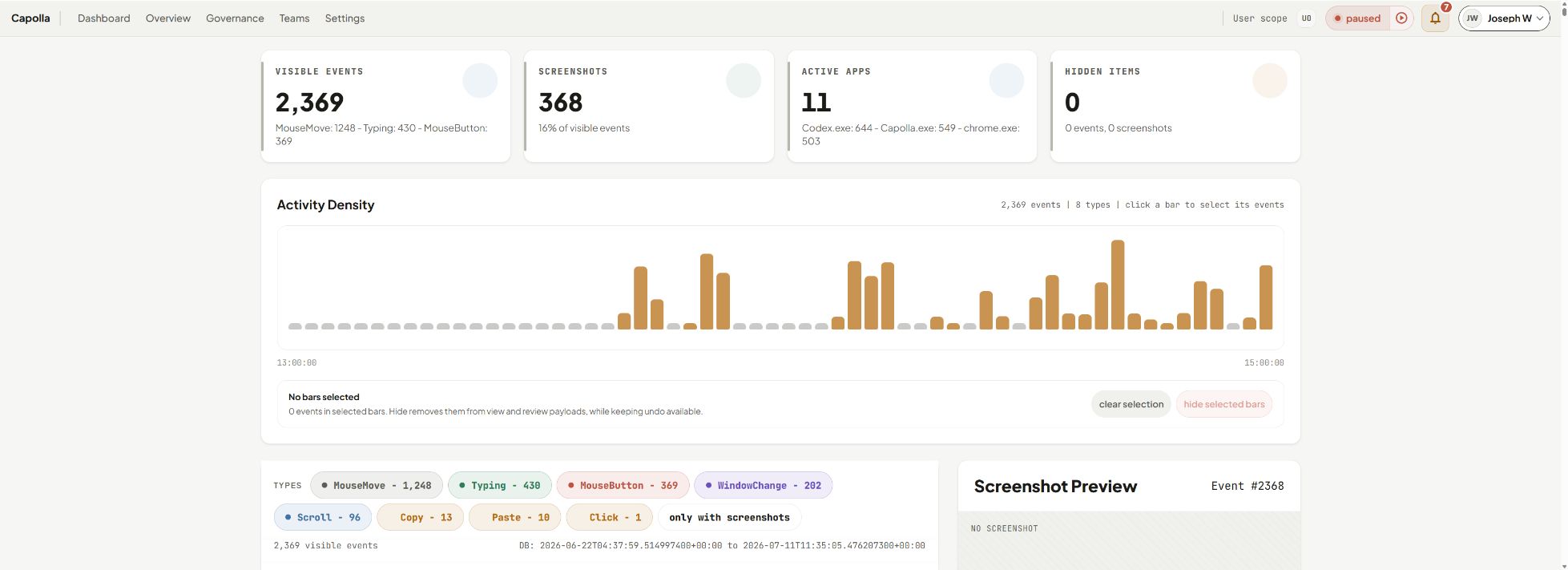
Figure 1. The Overview timeline behind a pilot report — every event is timestamped, app-tagged, and traceable back to the moment it happened.
A desktop agent and dashboard install on pilot machines. Capture is off until explicitly started, the default profile is minimal, and recording status is always visible in the tray.
Structured events — app and window changes, activity bursts, optional context — accumulate in a local database. Nothing uploads automatically; employees can inspect their own timeline.
The dashboard ranks automation opportunities by estimated hours and surfaces AI usage for human review. External AI analysis requires compile, preview, and explicit consent — audited per send.2
Capolla only works if the people it observes can trust it, so its guarantees are structural — properties of the architecture, not lines in a policy document. This section is meant for your employees, your works council, and your DPO as much as for the buyer.
Typing is captured as burst timing only — when it started, stopped, how long it lasted. Characters are never persisted. There is no keylog to leak.
Raw capture data lives in a local database on the device. There is no background sync of events or screenshots to anyone's cloud, including ours.
Capture is off until explicitly started and its status is visible in the system tray. There is no stealth mode, and we won't build one.
Capolla observes and reports. Governance findings go to a human review queue — it never kills a process or interrupts anyone's work.
| Signal | What is actually recorded | Pilot default |
|---|---|---|
| App & window changes | Foreground application and window title, and when it changed. | ON |
| Pointer & scroll activity | Coalesced activity bursts — the shape of activity, not a cursor recording. | ON |
| Typing bursts | Start, end, and duration only. Never the characters. | OFF |
| Screenshots | Rate-limited, automatically redacted (best-effort),4 stored on-device only. | OFF |
| Clipboard events | That a copy happened, and between which applications — never the contents. | OFF |
| Typed characters | — | NEVER |
| Raw OCR transcripts | Screen text is scanned once for redaction, then discarded. | NEVER |
Pick the pilot team, agree the capture profile with IT and privacy stakeholders, and roll out the employee communication kit before anything records.
Capture runs in the agreed profile, locally on each machine. A mid-pilot check-in confirms signal quality.
We present the AI Opportunity Map, the Shadow-AI Governance Report, and the top three automation moves — with the evidence behind every number.
Expand to an annual rollout, or uninstall. Either way, the local data is yours to keep or destroy — we never held it.
Priced like the assessment it replaces, not like seat licenses. Converts to an annual per-seat plan if you continue — pilot fee credited.
Request the pilot →No spam, no drip campaign. A personal reply within two business days.
 Capolla